
File manager

Store your company's documents centrally and involve external partners in a controlled way. Ideal for multiple locations, distributed teams and remote work.

  • Sharing linksWith password and expiry date
  • VersioningProtection against over­writing
  • Open standardsAs a drive via WebDAV
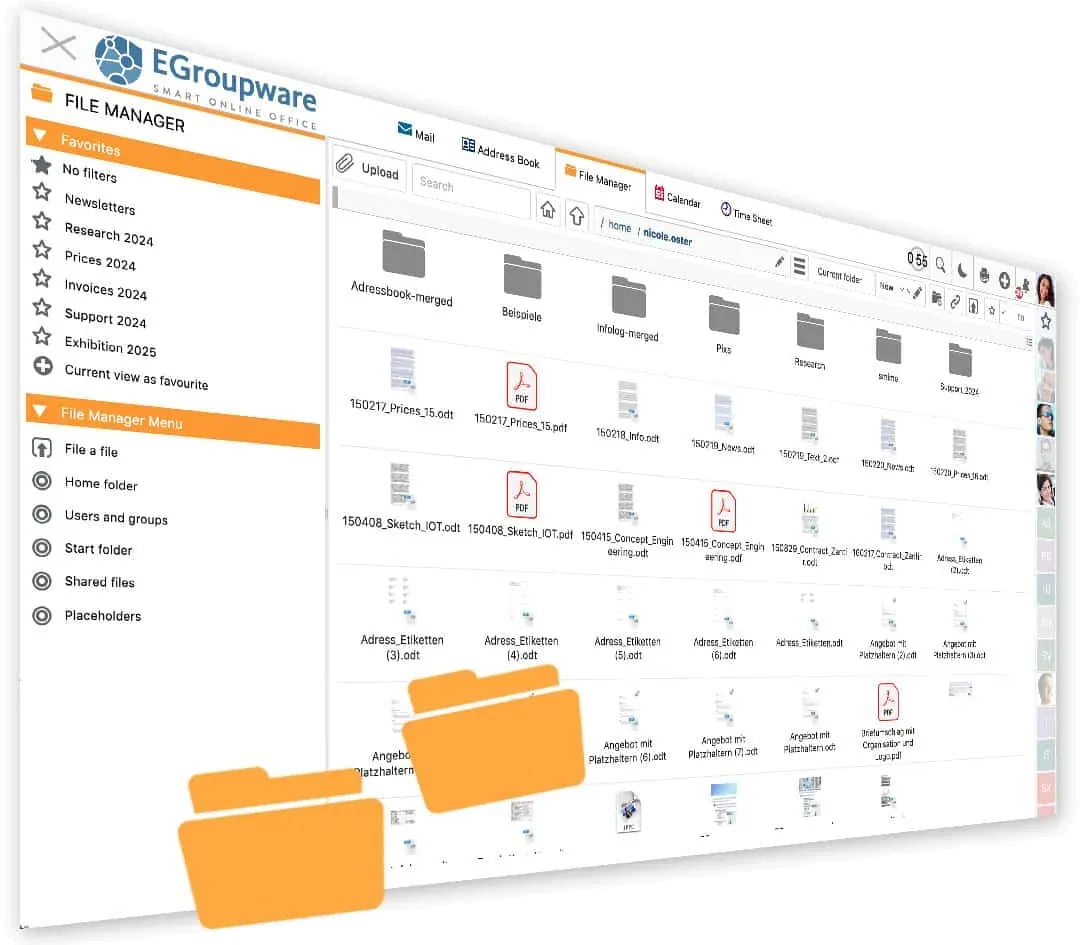
EGroupware file manager with folders and files
NEWSince EGroupware 26.9

From the scanner straight into EGroupware

Xerox scanners file scanned documents directly in the EGroupware file manager. If you watch the target folder, EGroupware automatically creates a task from each new document and assigns it – for example as the start of an invoice workflow.

More on tasks

Features

Store and share documents as a team

From your own folder to an exchange directory with customers and partners.

Central and well organised

All members of a work group access the same, up-⁠to-⁠date files. Permissions for public and private folders, favourites and drag-⁠and-⁠drop keep things in order.

NEW Favourites can be arranged hierarchically.

Sharing links for external partners

Share files and folders via a link, secured by password and validity period. External partners can also upload files and edit documents with Collabora Online. A hidden upload collects files without anyone else seeing them – for homework, for example.

Share internally without an administrator

Alongside group folders, users share files and folders with colleagues themselves. Colleagues mount shared folders permanently in their personal folder.

Notifications of changes

If you wish, EGroupware informs you and your team by pop-⁠up or email as soon as files are added, changed or deleted. External partners receive the changed file straight away as an attachment.

Versioning and deletion protection

If you wish, the file manager automatically archives older versions in the back­ground. After accidentally over­writing or deleting a file, you simply go back to a previous version.

Integrate network drives

Mount SMB shares (Windows, Linux, NAS), FTP, local directories or WebDAV shares. This lets you reach department drives from outside too – over a secure connection with two-⁠factor login.

Synchronisation

Your files as a drive

EGroupware relies on open standards: via WebDAV you mount the file manager as a drive in Windows Explorer, in the Mac Finder or on Linux – or you synchronise a local directory. Your team works with folders and files as usual, with hardly any need to get used to something new.

Synchronisation

Two-⁠factor login

File manager at a glanceFILES
Storage
Personal folders, group folders, favourites
Sharing
Links with password and expiry date
Protection
Permissions, versioning
Drives
SMB, NAS, FTP, WebDAV
Access
Browser, Explorer, Finder
Related

Works together with

Frequently asked questions about the file manager

Can external partners upload files?

Yes. Via a sharing link to a folder, external partners upload files. Password and validity period secure the share.

Can I use the file manager like a drive?

Yes. Via WebDAV you mount it in Windows Explorer, in the Mac Finder or on Linux, or synchronise a local directory.

What happens if someone accidentally overwrites a file?

If versioning is switched on, EGroupware archives older versions automatically. You can go back to a previous version at any time.

Can existing network drives be integrated?

Yes. SMB shares from Windows, Linux or NAS, FTP, local directories and WebDAV shares can be mounted in the file manager.

Try the file manager free for 30 days

No installation, no risk: request cloud access, invite your team, get going. We are also happy to walk you through the platform in a personal demo first.