
Mobile access

On your smart­phone and tablet you work in the browser with all EGroupware applications and data – no app, no installation. You can also synchronise calendars, contacts and tasks with your device's programs via open standards.

  • All applicationsIncluding helpdesk and time tracking
  • No installationIn your device's browser
  • Open standardsCalDAV, CardDAV, WebDAV
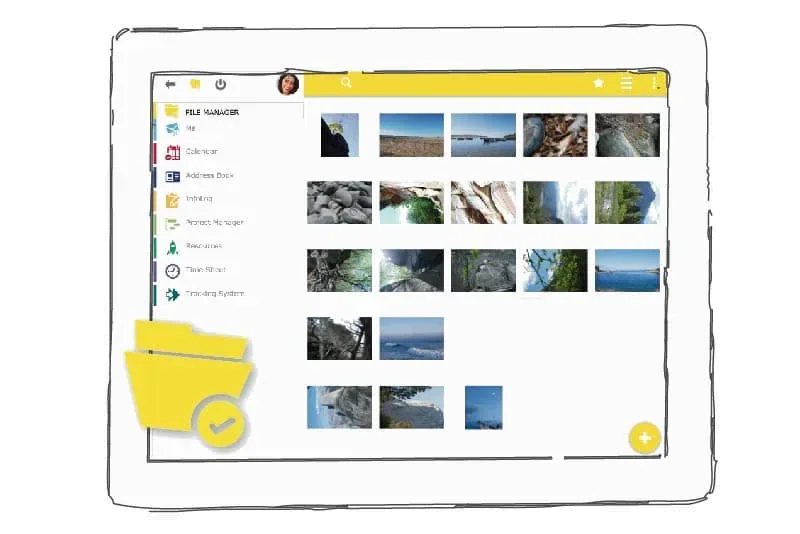
EGroupware file manager on a tablet
NEWSince EGroupware 26.2

An interface that adapts to every screen

With version 26.2, EGroupware got a new responsive interface: lists, views and dialogues adjust to the screen size – from smart­phone and tablet to a large monitor. On the move, you work with the same applications and the same up-⁠to-⁠date data as at your desk, without synchronisation and without an extra app.

Features

Every­thing with you on the move

The browser shows more than synchronisation could ever transfer.

All applications, not just the calendar

Only standard applications such as calendar, contacts and tasks can be synchronised. In the browser you also use the ticket system, time tracking and every other application that has no counterpart on the smart­phone.

Custom fields too

Many programs on the device only know standard fields. In the browser you see and edit every entry in full – including your organisation's custom fields.

The whole team ready to go

Mobile access is available to all users without any prior installation. Everyone accesses the same, always up-⁠to-⁠date data from anywhere.

Files like a hard drive

Via WebDAV you connect your Windows, Mac or Linux computer directly to the EGroupware file manager. The whole team works with the same, current documents and folders.

Synchronisation

Also in sync on every device

EGroupware relies on open standards: calendars and tasks synchronise via CalDAV, contacts via CardDAV and files via WebDAV – with iPhone, iPad and Mac as well as with desktop programs such as Thunderbird or eM Client. Android devices connect with the DAVx⁵ app. For devices that do not speak open standards, the ActiveSync protocol is available via the open source software Z-⁠Push. We are happy to help you with the set-⁠up.

Data synchronisation

Advice on the set-⁠up

Mobile access at a glanceMOBILE
Browser
All applications, no installation
Calendar
CalDAV
Contacts
CardDAV
Files
WebDAV
Other devices
ActiveSync protocol via Z-⁠Push
Programs
Thunderbird, eM Client, Apple Calendar
Related

Works together with

Frequently asked questions about mobile access

Do I need an app to use EGroupware on my smart­phone?

No. You open EGroupware in your smart­phone's or tablet's browser and use all applications there. You can also synchronise calendars, contacts and tasks with your device's programs.

Which data can be synchronised?

Calendars and tasks via CalDAV, contacts via CardDAV and files via WebDAV. For devices without these open standards, the ActiveSync protocol is available via Z-⁠Push.

Can I work on tickets and working hours on the move?

Yes, in the browser. Helpdesk and time tracking have no counterpart on the smart­phone to synchronise with, but they are fully usable via mobile access.

Try EGroupware free for 30 days

No installation, no risk: request cloud access, invite your team, get going. We are also happy to walk you through the platform in a personal demo first.