
Resources

Manage and book meeting rooms, projectors, vehicles and every­thing else your organisation shares. You see straight away what is free and keep track of equipment on loan.

  • Book in the calendarTogether with the appointment
  • Permissions per categoryWho sees and books what
  • Accessories and inventoryBook along, inventory numbers
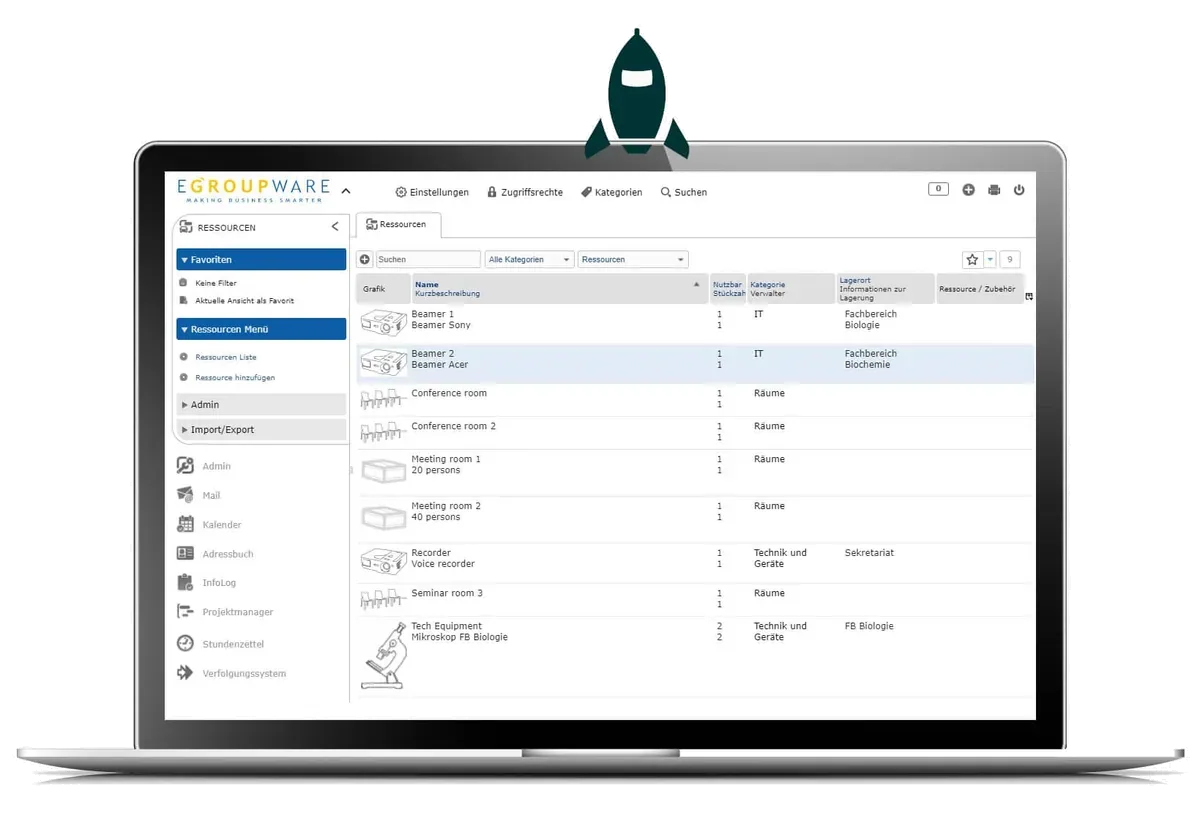
EGroupware resource list with rooms and equipment
SPECIALResources highlight

Book straight from the calendar

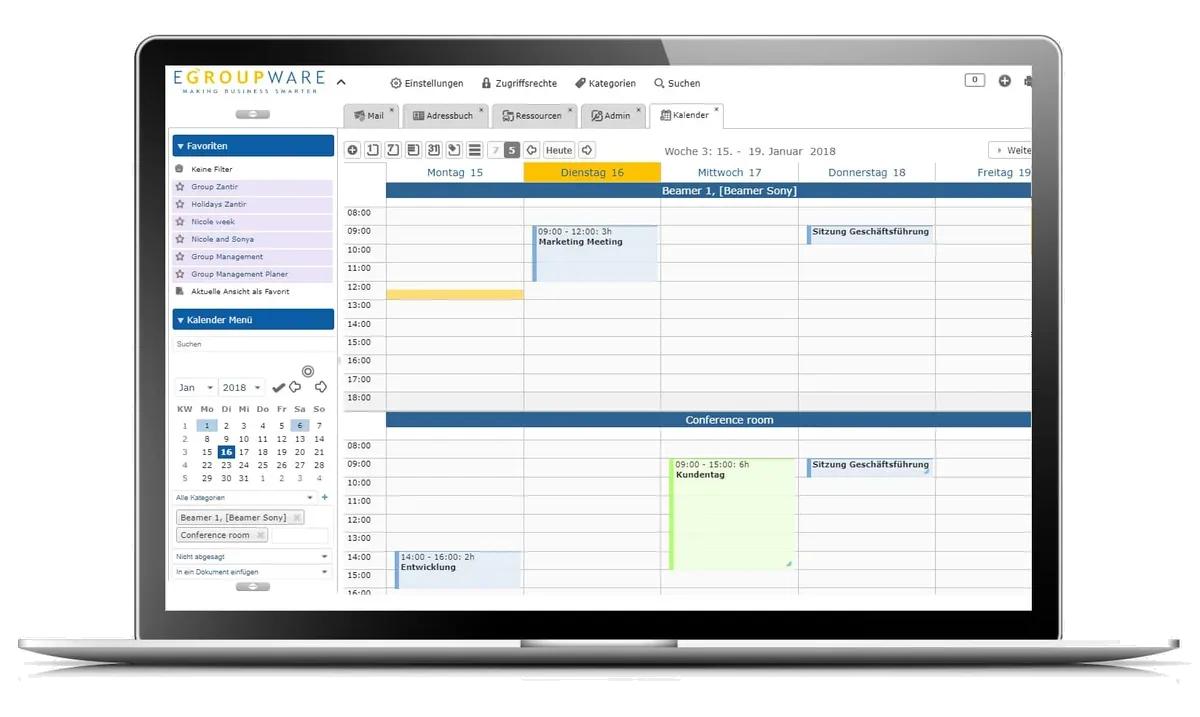
Resource management is built into the calendar: you book the room or vehicle together with the appointment and see whether the resource is free. You control which resources someone can see and book via categories – meeting rooms can have different permissions from tools.
More on the calendar

Calendar showing bookings of a projector and a conference room
Features

Rooms and equipment under control

From the meeting room to the microscope with accessories.

Check availability and book

Depending on their permissions, staff check availability and book resources directly online. If required, the resource manager receives an email for every new booking.

Bookings at a glance

Show several resources one below the other in the calendar – as a month, week or category view. Save frequently used views as a favourite.

NEW Favourites can be arranged hierarchically.

Book accessories along

Create accessories such as a cable or a bag for a resource. They are booked directly with the main resource.

Inventory number and location

Inventory numbers and storage locations make assignment and searching easier. After the name, EGroupware shows either the short description, the location or the inventory number – so you can tell resources with the same name apart when searching in the calendar.

Categories with images

Sort your resources into categories. A meaningful image per resource or category makes booking easier for your users.

Set up quickly

Create resources directly in the user interface or import an existing list as a CSV file.

Synchronisation

Bookings on every device

Appointments with booked resources are in the calendar and synchronise with it: via CalDAV with iPhone, iPad and Mac as well as with Thunderbird or eM Client, and for other devices via the ActiveSync protocol with Z-⁠Push. Resource calendars can also be connected via CalDAV themselves. On the road, you check availability and book via the mobile view in the browser.

Mobile access

Synchronisation

Resources at a glanceRESOURCES
Examples
Rooms, projectors, vehicles, tools
Booking
In the calendar, with accessories
Permissions
Per category
Data
Inventory number, location, image
Sync
CalDAV, ActiveSync protocol via Z-⁠Push
Related

Works together with

Frequently asked questions about resources

How do I book a room for a meeting?

Directly when you create the appointment in the calendar. There you also see whether the room is free at that time.

Can I decide who may book which resources?

Yes. You assign permissions per category. This way, meeting rooms can have different rules from tools or vehicles.

Is the resource manager informed of new bookings?

Yes, if required they receive an email for every new booking.

Do I have to create all resources by hand?

No. You import an existing list as a CSV file and create individual resources directly in the user interface.

Try resource management free for 30 days

No installation, no risk: request cloud access, invite your team, get going. We are also happy to walk you through the platform in a personal demo first.