
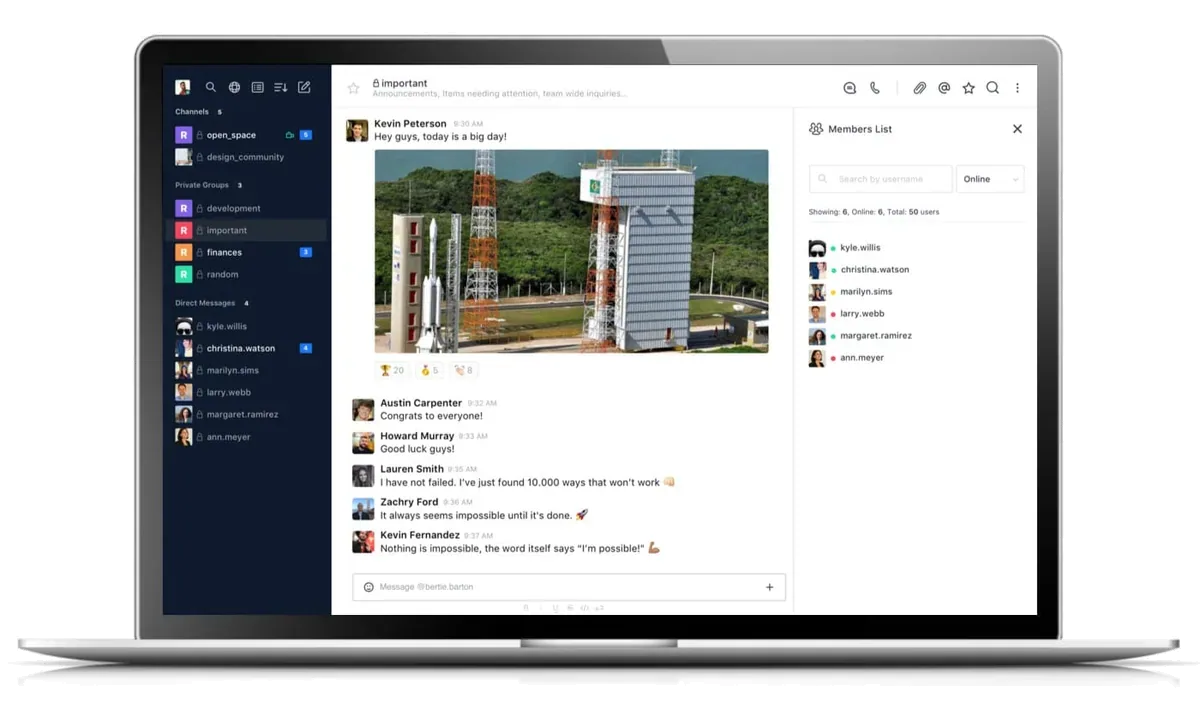
Team chat

Coordinate quickly – in a team chat with several colleagues or directly from person to person. The chat with Rocket.Chat is integrated into EGroupware, and you exchange files along the way.

  • Single sign-⁠onLog in with your EGroupware account
  • Status appSee who is available
  • Open sourceRocket.Chat on servers in Germany
Rocket.Chat with channels and direct messages
SPECIALTeam chat highlight

One account, one click to a conversation

You log in to the chat with your EGroupware account – via single sign-⁠on, without a second password. In the status app you see which colleagues are available right now. A right-click on their picture is all it takes to send a chat message or start a video conference. You set your own availability status yourself.

More on video conferences

Features

Short paths in the team

Faster than an email, easier to follow than a shout across the office.

Team chats and direct messages

Set up different team chats in Rocket.Chat or write to colleagues directly. That way every discussion stays where it belongs.

Files, audio and video

Exchange files in the chat and switch to a real-time audio or video call when needed. The conversation is transmitted encrypted.

Notification by email or push

If you are not logged in, an email tells you about new messages. With the Rocket.Chat app on your PC or smart­phone you receive push notifications straight on your device.

Enable for users and groups

In the administration you enable the chat for individual users or whole groups. Installation and setup are done directly from EGroupware.

Hosting and apps

In the browser, in the app, on servers of your choice

Rocket.Chat is open source. You install it on your own server or use the EGroupware Rocket.Chat server in a German data centre – so you keep control of your data and chat in compliance with the GDPR. On the move, you chat and make calls with the Rocket.Chat apps for desktop and smart­phone.

Download the Rocket.Chat apps

Webinar recording on chat and video conferences

Team chat at a glanceCHAT
Software
Rocket.Chat, open source
Login
Single sign-⁠on with your EGroupware account
Hosting
Your own server or a data centre in Germany
Apps
Desktop and smart­phone
Extras
Files, audio and video calls
Related

Works together with

Frequently asked questions about the team chat

Do I need a separate account for the chat?

No. You log in via single sign-⁠on with your EGroupware account. The administration decides which users and groups may use the chat.

Are there apps for smart­phone and desktop?

Yes. You download the Rocket.Chat apps for the different platforms from the Rocket.Chat website. Push notifications then inform you directly on your device.

Where is the chat data stored?

On your own server or on the EGroupware Rocket.Chat server in a German data centre. The conversation is transmitted encrypted.

Can I start a video conference from the chat?

Yes. With a right-click on a colleague in the status app you send a chat message or start a video conference directly.

Try the team chat free for 30 days

No installation, no risk: request cloud access, invite your team, get going. We are also happy to walk you through the platform in a personal demo first.